Create Application
Create Application using the CLI with the name and a filename with a specific yaml file.
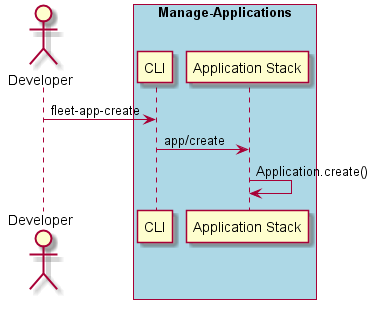
# fleet app create --name <name> --filename <filename>
# fleet app create --name alert --filename app.yaml
The application yaml file follows the following format.
application:
  name: <application name>
  resources:
    network:
      <network name>: <quantity>
    storage:
      <storage name>: <quantity>
  services:
    <service name>:
      type: 'service'
      replicas: <# of replicas>
      storage: <storage name>
      network: <network name>
      links:
        - <service name>
        - <service name>
This is an example of the application yaml file. In this example the name of the application is “alert” and it has four services: ingestion, annotation, streaming, and notificationGateway. Resources are also specified using the the network and storage directives. MyNetwork (network) and myStorage and externalStorage (Storage).
application:
  name: alert
  resources:
    network:
      myNetwork: 150
    storage:
      myStorage: 1000
      externalStorage: 5000
  services:
    ingestion:
      type: 'service'
      replicas: 8
      storage: myStorage
      network: myNetwork
      links:
        - annotation
        - streaming
    annotation:
      type: 'service'
      replicas: 8
      network: myNetwork
    streaming:
      type: 'service'
      replicas: 8
      network: myNetwork
      links:
        - notificationGateway
    notificationGateway:
      type: 'service'
      replicas: 4
      network: myNetwork
      storage: externalStorage